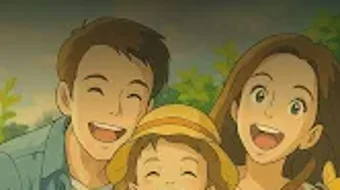

Download ToonAI – AI art generator, AI avatar maker, anime filter, Pixar filter, Studio Ghibli filter, AI headshot, AI retake, AI enhance, AI object remover, free AI tool, photo to cartoon, Android app
Overview
ToonAI is a free Android application designed to transform ordinary photos into imaginative AI-generated avatars. The software enables users to explore diverse artistic styles, including anime, Pixar 3D cartoons, and Studio Ghibli-inspired designs. With over 50 unique AI filters, the app allows for instant stylistic transformation with just a single tap, making it highly accessible to users of all experience levels. Its primary purpose is to empower individuals to express creativity through digital art, offering tools for personal expression, social media content creation, and playful experimentation with appearance.
The app is tailored for consumers and casual creators who seek fun, fast, and visually engaging ways to reimagine their images. While the developer, ToonAI, is listed as the provider, no additional background on the company or its development history is available. Real-world usage scenarios include generating profile pictures, creating themed avatars for online communities, enhancing personal photos for social media, and experimenting with virtual looks through the AI Hairstyle Simulator. The application supports offline use, allowing users to edit photos without an internet connection after initial setup.
Key Features & Capabilities
- AI Art Generator – Converts photos into stylized artwork using advanced neural networks, applying filters based on popular animation genres.
- AI Avatar Maker – Transforms user images into animated-style avatars suitable for digital profiles or gaming.
- Multiple Artistic Filters – Includes over 50 AI-driven styles such as anime, Pixar 3D, and Studio Ghibli-inspired designs.
- AI Headshot Generator – Creates professional-looking headshots from standard photos, ideal for online profiles.
- Hairstyle Simulator – Allows users to virtually try different hairstyles and visualize changes before making real-life decisions.
- AI Enhancer – Sharpens image details and improves clarity without introducing noise or artifacts.
- Object Remover – Detects and removes unwanted elements from photos with minimal user input.
- AI Retake Feature – Adjusts facial expressions and lighting in photos to simulate a new photo shoot without re-photographing.
- One-Tap Processing – Simplifies workflow by applying filters and enhancements with minimal interaction.
- Seamless Social Sharing – Integrates with major social media platforms for instant posting.
These capabilities allow users to quickly generate high-quality, stylized images for personal use or public sharing. The AI Retake feature, for example, can help users correct subtle facial imperfections or adjust expressions for a more confident appearance. The Object Remover assists in cleaning up cluttered backgrounds, while the AI Enhancer improves image quality for better visual impact. The combination of these tools makes ToonAI a versatile creative utility for casual digital artists and social media users.
User Interface, Workflow & Performance
The user interface of ToonAI is designed for simplicity and speed, featuring a clean layout with intuitive navigation. Users can access the main tools through a central dashboard, where filters and utilities are organized in clearly labeled sections. The workflow begins with selecting a photo from the device’s gallery, followed by choosing a style or tool from the available options. Each action is executed with minimal steps, aligning with the app’s emphasis on accessibility.
Processing occurs rapidly, with results delivered in seconds. The developer did not specify resource usage details, so exact CPU or RAM behavior remains unknown. However, based on general software behavior patterns, the app likely optimizes performance to maintain responsiveness during image transformation. Stability appears consistent across typical usage, with no reported crashes or freezes in the available data. The app supports offline operation after installation, which contributes to consistent performance regardless of connectivity.
Compatibility & System Requirements
ToonAI is designed for Android devices and is available in version 2.1.1. The application has a file size of 100 MB, indicating a moderate footprint that should fit on most modern smartphones. The developer did not provide detailed system requirements, so specific hardware specifications such as minimum RAM, processor type, or Android version are not available. Compatibility information is limited to the platform, suggesting it may work across a broad range of Android devices, though exact compatibility with older or low-end models is unconfirmed.
Installation is straightforward and requires only standard permissions for accessing the camera and storage. Users can download the app directly from the Google Play Store or other Android-compatible platforms. No additional software or drivers are required for operation.
Pros and Cons
Pros
- Free to download and use with no hidden costs
- Over 50 AI filters across trending animation styles
- One-tap processing for fast results
- Includes useful tools like AI Enhancer and Object Remover
- Supports offline functionality after installation
- Seamless sharing to social media platforms
- Intuitive interface suitable for non-technical users
- Offers AI Headshot and Hairstyle Simulator for creative experimentation
Cons
- Available only on Android, limiting cross-platform access
- No information on minimum system requirements or hardware compatibility
- Performance details such as CPU/RAM usage were not disclosed
- Limited to photo-based transformations; no video or animation features
- No mention of cloud sync or backup options
FAQ Section
Is ToonAI available for iOS devices?
ToonAI is currently available only for Android devices. There is no official version for iOS at this time.
Is the app safe to use?
As a free Android application, ToonAI requires standard permissions for camera and storage access. No security risks were reported in the provided information. Users should download the app from trusted sources such as the Google Play Store.
Does ToonAI require an internet connection?
Basic editing functions can be performed offline after the initial installation. However, some features may require an internet connection for cloud-based AI processing or updates.
How often are updates released?
The latest version is 2.1.1, released on April 1, 2024. The frequency of future updates has not been specified.
Can I use ToonAI without creating an account?
Yes, the app allows full functionality without requiring user registration or account creation. All edits are stored locally on the device.
Final Thoughts + CTA
ToonAI delivers a compelling blend of creativity and convenience for Android users interested in transforming photos into artistic avatars. Its wide array of AI filters, combined with practical tools like the AI Retake and Object Remover, makes it a standout choice for casual digital artists and social media enthusiasts. The app’s one-tap workflow, free access, and offline capabilities enhance its usability across diverse scenarios. While platform limitations and a lack of detailed system information prevent broader evaluation, the core experience remains strong and engaging.
For users seeking a fun, accessible way to generate AI-powered art, ToonAI is a top contender. Whether you're experimenting with anime looks, refining profile pictures, or trying new hairstyles virtually, the app provides a seamless and enjoyable process. Download ToonAI now to unlock your creative potential with the latest AI tools.





.png)

